Alarm Clock vs. Alarm App: Which One Gets You Up?
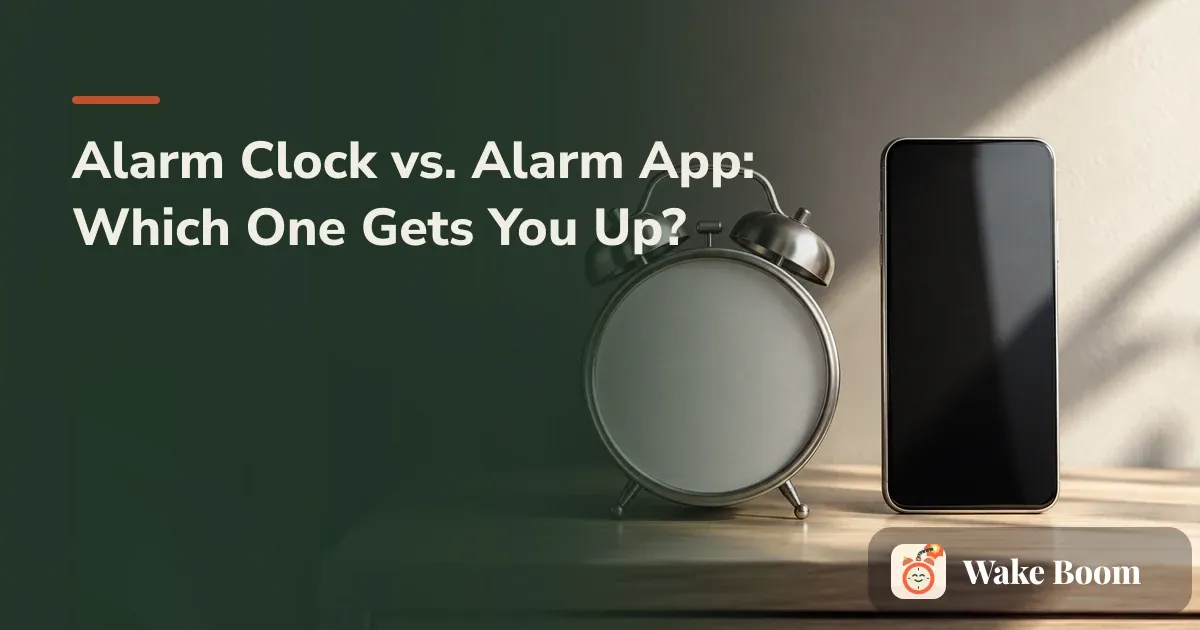
A standalone alarm clock wins on plain reliability and on keeping your phone out of the bedroom. An alarm app wins on smart features — gradual volume, custom sounds, multiple labeled alarms, task-based dismissal. But “which is better” is the wrong question. The better question is: which way do you actually fail to wake up? You sleep right through it. You turn it off in your sleep and don’t remember. You wake up fine, then doomscroll for 40 minutes. You dread the phone by your head. Each failure points to a different tool — and plenty of people are best served by running both.
Alarm clock vs. alarm app: start with how you fail
Most comparison pieces rank these two on price, snooze options, and backup power, then leave you to guess which matters for you. That ranks the wrong thing. Your morning doesn’t break because of the device. It breaks in one specific way, and that’s the thing to fix.
Four failure modes cover almost everyone:
- You sleep through it. The alarm rings, the neighbors hear it, you don’t. This is a volume-and-signal problem, and sometimes a health one.
- You kill it in your sleep. You do hear it — you just reach over, turn it off, and wake up an hour later with no memory of it. Louder won’t help. This is why do I keep hitting snooze territory, and it needs a different fix entirely.
- You doomscroll after. You get up fine, but the phone is right there, so 20 minutes vanish before your feet hit the floor.
- You dread the phone at the bed. Having it inches away wrecks your wind-down at night and your first minutes awake.
Hold onto whichever one is yours. Everything below routes back to it.
What’s the real difference between an alarm clock and an alarm app?
A standalone alarm clock is dedicated hardware. It sits on your nightstand, runs on wall power or batteries, has physical buttons you can find in the dark, and does one job. Some add a sunrise alarm — a light that brightens before the sound — or a ceiling projection. Sunrise models like the Philips Wake-Up Light or a Hatch Restore ramp their light up over 20 to 30 minutes before any tone, per the makers’ own specs; at the loud end, a Sonic Bomb–style clock pairs a harsh alarm with a bed-shaker you tuck under the mattress. None of them depend on your phone.
An alarm app is software on the phone you already carry: the Apple Clock app on iPhone, the built-in Clock on Samsung Galaxy and Google Pixel, or a third-party app from the App Store or Google Play. It can do things hardware can’t — ramp the volume up slowly, play your own music, hold a dozen labeled alarms for a week that changes daily.
One term worth defining, because both tools claim to fight it: sleep inertia is the groggy, foggy stretch right after you wake, when you feel worse than you did asleep. The Sleep Foundation’s page on sleep inertia puts it at 15 to 60 minutes, sometimes longer. A gradual-wake app tries to ease you out of deep sleep; a light-based clock tries to signal your body clock before the sound hits. A gentler wake won’t cure the fog, but it can shorten it.
Where they overlap: both ring, both repeat, both snooze. Where they genuinely diverge: phone-dependence, smart features, and what happens when the power’s gone.
When a standalone alarm clock is the better choice
Pick the clock when your failure is about the phone, not the alarm.
- You want the phone out of the bedroom. If you doomscroll in bed or the second you wake, a clock lets you charge the phone in the kitchen and still get up on time. This is the single behavior change most sleep-hygiene guides push — the CDC’s own sleep-hygiene tips include keeping screens out of the bedroom — and it works no matter what rings.
- You’ve slept through the phone or silenced it half-asleep. A dedicated clock with a loud, harsh tone and physical buttons is harder to fumble off without waking.
- You want a backup that doesn’t die. A phone that’s dead, updating, or charging in another room can’t ring. A battery clock doesn’t care.
- Dark mornings. A sunrise alarm clock helps in winter, when a 6 a.m. wake happens in full dark — the light comes up before the sound, which can take the edge off the jolt.
- You share a bed. A light-based or gentle-vibration clock can wake you without lighting up or buzzing your partner awake.
A quieter middle option: your wrist. An Apple Watch or a Fitbit can wake you with vibration on your wrist and no sound in the room at all. That’s the partner-friendly pick when someone next to you is still asleep, and it lets you park the phone in another room while something silent still gets you up. It’s gentle, though — if you sleep like the dead, use it as one layer, not your only alarm.
When an alarm app is the better choice
Pick the app when you’re never without your phone and you want the alarm to do more than beep.
- You don’t want another device to charge. The phone’s already on your nightstand and already charged.
- Smart features. Gradual volume, custom sounds and playlists, multiple labeled alarms for a variable week (gym Tuesday, later start Friday), alarms tied to your calendar.
- iPhone specifics you’ll recognize. The Clock app rings through the silent switch and through Focus / Do Not Disturb — that’s by design. But note one quiet catch: iPhone’s attention-aware features can lower the alarm volume when Face ID sees you’re looking at the phone. Apple’s own support pages document this behavior. If your iPhone alarm feels weirdly quiet, that’s often why. You can turn attention-aware features off in Settings.
- Task-based dismissal. Some apps won’t stop until you solve a math problem, scan a code, shake the phone, or take a photo of a specific spot — Alarmy is the best-known of these. That’s the fix for the person who turns alarms off in their sleep.
The Android catch most comparisons skip: battery optimization and manufacturer skins like Samsung One UI can silently delay or kill a background alarm app. If a third-party alarm on a Galaxy or Pixel ever fails to ring, check Settings and set that app’s battery usage to Unrestricted, and allow it to run in the background. The built-in clock is usually exempt; third-party apps are not, and store reviews are full of people who overslept because of exactly this.
If sleeping through is your pattern and you want to compare options, the roundups for the best alarm app for heavy sleepers and the deeper look at why do I sleep through alarms are the right next reads.
Alarm clock vs. alarm app: side-by-side
Here’s the decision in one view, weighted for heavy sleepers and chronic snoozers. Prices reflect current U.S. retail listings as of 2026.
| Attribute | Standalone alarm clock | Alarm app (phone) |
|---|---|---|
| Sound / volume | Loud, fixed; some very harsh | Loud; gradual ramp or full blast; custom sounds |
| Vibration | Rare (some travel/pillow clocks) | Yes, phone vibrates alongside sound |
| Portability | Extra thing to pack | Always with you |
| Repeat / labeled alarms | Limited, often 1–2 | Unlimited, labeled, per-day |
| Task-based dismissal | No | Yes (math, scan, photo, shake) |
| Power dependence | Runs on batteries in an outage | Dead phone = no alarm |
| Phone stays out of bedroom | Yes — its whole advantage | No, unless placed across the room |
| Partner-friendly wake | Light/vibration options | Depends on sound choice |
| Daylight Saving Time | Basic clocks: reset by hand | Auto-updates |
| Cost | $10–$200 (sunrise models cost more) | Free built-in; some apps charge |
| Learning curve | None | Small, more settings to get right |
Why not both? The setup most people actually need
For a high-stakes morning — the 6 a.m. gym class you keep sleeping through, the flight, the standup you can’t miss — treat “vs.” as a false choice and run both.
The logic: the app gives you the smart, gradual first alarm that eases you awake. The clock, set a few minutes later and placed across the room, is the backup that forces you to stand up. One dead device never costs you the morning, and getting up to silence the clock is itself the fix — you can’t turn off something you can’t reach from bed.
- Set your app alarm for your real wake time, volume ramping up, on the nightstand.
- Set a standalone clock for two to five minutes later, placed across the room so you have to walk to it.
- Charge the phone outside arm’s reach — a dresser, a desk, anywhere you can’t grab it lying down.
- Match the days on both so you’re never covered by neither and never blasted awake by both at once.
- Test the pair for one workweek before you trust it for anything that matters.
If the part you keep failing is step three — the reaching-over-and-killing-it reflex — a mission-based alarm app can do the job of the across-the-room clock without a second device. Wake Boom (iPhone and Android) is built for exactly the person who turns the alarm off in their sleep: with its Relentless mode, silencing or flipping the phone doesn’t end the alarm — it comes back until you finish the mission you picked (a math problem, scanning a code, taking a photo). The first seven days are fully open with no ads; after that, Relentless, unlimited alarms, and the Math mission stay free, with a Premium tier for the other mission types and custom sounds. It’s one honest option among several — see the full field of an alarm app that cannot be snoozed — and it’s not a sleep tracker, so if you want to measure your nights, look elsewhere.
The features that actually decide it
- Reliability and backup power. In an outage or when the phone dies, a battery clock still rings. If you only run a phone, plug it in before bed and confirm it’s charging.
- Gradual vs. abrupt wake. An easier wake can mean less grogginess. A jolt out of deep or REM sleep is often what leaves you foggy — the sleep inertia the Sleep Foundation describes.
- Snooze design. Unlimited snooze feeds the spiral; dismiss-only or task-to-stop breaks it. If snooze is your whole problem, how to stop hitting snooze has a plan your morning self can’t veto.
- Daylight Saving Time. Under U.S. federal law, clocks change the second Sunday of March and the first Sunday of November. Phones and connected clocks update themselves on those dates; a basic battery clock does not, so reset it by hand and set a reminder for those two Sundays.
- Phone out of reach. This is a behavior fix, not a feature of either device. It works whether a clock rings or a phone does.
When the problem isn’t your alarm at all
Sometimes no alarm is the answer. If you consistently sleep through loud alarms, wake up exhausted no matter how many hours you got, or can’t get up despite enough time in bed, the fix probably isn’t a louder ringer — it’s a look at your sleep itself.
A few flags worth naming plainly:
- Loud snoring with gasping or pauses in breathing — possible sleep apnea.
- Oversleeping paired with low mood or loss of interest — possible depression.
- A wake time that keeps drifting later and won’t reset — possible circadian rhythm issue.
The CDC, the Sleep Foundation, Mayo Clinic, and Cleveland Clinic all cover sleep-need basics and sleep hygiene in plain language if you want to read up first. But if any of the above sounds like you, the real next step is to talk to your primary care doctor or book a telehealth visit. That’s not a disclaimer. It’s the move that fixes a problem no alarm, hardware or app, was ever going to solve.
Questions people actually ask
Is it bad to use my phone as an alarm clock?
It's not bad for the alarm itself — phone alarms are loud and reliable. The catch is the phone at your bedside. If you doomscroll before sleep or grab it the second you wake, keeping it in reach makes both habits easier. If neither is your problem, a phone alarm is fine. If they are, move the phone across the room and let it ring from there, or add a standalone clock and charge the phone in another room.
Which is more reliable, a phone alarm or an alarm clock?
A basic battery-powered alarm clock is more reliable in the narrow sense — it doesn't care about a dead battery, a system update, a silent switch, or an app that got killed in the background. A phone alarm is very reliable when the phone is charged and set correctly, and it does more. For a hard-stakes morning, the safest setup is both: the app as your smart first alarm and a clock as the backup that can't fail the same way.
Do alarm apps work if my phone is on silent or Do Not Disturb?
Yes. On iPhone, the Clock app alarm rings through the silent switch and through Focus or Do Not Disturb — that's built in. Most Android clock apps do the same. What can go wrong is volume set low, a third-party app blocked by battery optimization, or the ringer confused with the alarm volume. Test it once at the volume you'll actually need.
Will my alarm still go off if my phone dies overnight?
No. A dead phone means no alarm — a common way people oversleep, especially with an app draining the battery in the background. If your phone runs low overnight, plug it in before bed and confirm it's charging, or keep a separate clock as backup so one dead device doesn't cost you the morning.
What's the best alarm for someone who sleeps through everything?
Match the tool to how you fail. If you never hear it, you want maximum volume plus vibration or a light that builds, and ideally an alarm across the room so you have to stand up. If you hear it and turn it off in your sleep, volume won't help — you want an alarm that makes you do something (a math problem, scan a code, take a photo) before it stops. Those are different problems with different fixes.
Does my alarm change automatically for Daylight Saving Time?
Phone alarms and internet-connected clocks update themselves on the change dates — the second Sunday of March (spring forward) and the first Sunday of November (fall back). A basic battery-powered alarm clock does not; you reset it by hand. If you rely only on a manual clock, put a reminder on those two Sunday nights so you don't wake up an hour off.