Smart Alarm vs Regular Alarm: Which Wakes You Up Better?
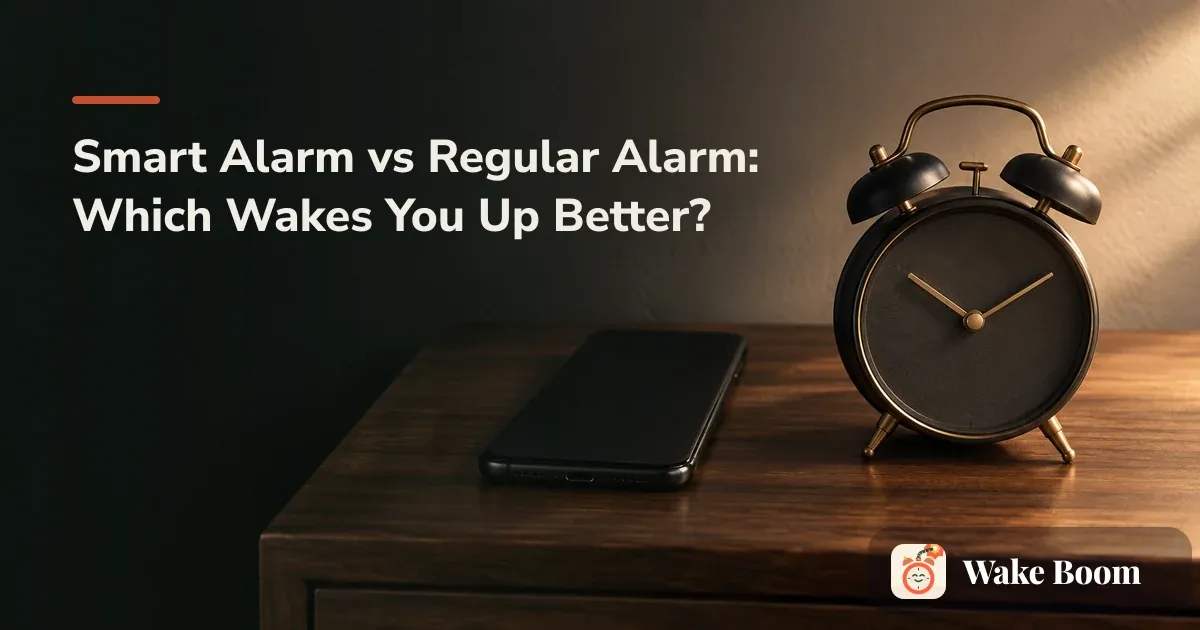
A regular alarm fires at one fixed time — 6:00 means 6:00, no matter what stage of sleep you’re in. A smart alarm watches for a lighter sleep stage inside a window you set (say 6:30 to 7:00) and wakes you at the gentlest moment it can find before your deadline. The smart version usually leaves you less groggy, because it tries to avoid pulling you out of deep sleep. The regular one is more reliable, because almost nothing about it can go wrong. Neither fixes the real problem if you simply aren’t sleeping enough.
That groggy, where-am-I feeling in the first stretch after waking has a name: sleep inertia. It’s what this whole comparison is really about. Get woken mid–deep sleep and it hits harder; get woken in light sleep and it’s usually milder. So the question isn’t which alarm is “smarter.” It’s which one leaves your morning self in better shape, and which one actually goes off.
What is a regular alarm?
A regular alarm is the single-time buzzer you already know: the iPhone Clock app, the alarm built into a Samsung Galaxy or Google Pixel, the clock radio on your nightstand. You set a time. At that time, it rings. That’s the whole deal.
Its bluntness is the feature. It goes off whether the app updated overnight, whether your watch died, whether you’re in REM sleep or light sleep or dead to the world. For a 6 a.m. gym class you paid for, or a commute you can’t push back, that certainty matters more than a gentle wake.
Where it hurts: a fixed time doesn’t know where you are in your sleep cycle. A cycle runs roughly 90 minutes, and if 6:00 lands you in deep sleep, you get the worst version of sleep inertia — the kind where you turn the alarm off in your sleep and don’t even remember it. If that’s your morning, the alarm isn’t really the issue; it’s worth reading why do I sleep through alarms before you blame the hardware.
What is a smart alarm?
A smart alarm asks for two things instead of one: a latest time and a window. You tell it “wake me by 7:00, anytime after 6:30.” Inside that half hour, it tries to catch you in light sleep and ring then.
To find that moment, it estimates your sleep stages. Some apps — Sleep Cycle, Sleep as Android — use the phone’s accelerometer and microphone, tucked near the pillow, to read how much you move. Others pull data from a wearable: Apple Watch, Fitbit, Oura Ring, Samsung Galaxy Watch. Both are guessing at your arousal threshold — plainly, how hard you are to wake, which rises and falls all night as you cycle through deep, light, and REM sleep.
Two other gadgets get lumped in here and work differently. Wake-up light clocks like the Philips SmartSleep and the Hatch Restore don’t track your sleep at all; they brighten the room over 20 or 30 minutes before your set time so you drift up toward waking instead of getting yanked out of the dark. The cue is gentler, but the schedule is fixed — no stage detection involved.
Now the honest limit. A phone on the mattress is estimating from movement and sound. It is not a clinical sleep study, and it gets nights wrong — one common gripe is a tracker insisting you slept in when you know you didn’t. A wrist tracker reading your pulse tends to guess your stages more accurately than a phone listening across the mattress, though neither matches a lab. Treat the stage detection as a decent guess that raises your odds of a soft landing.
Smart alarm vs regular alarm: side by side
The core tradeoff sits in two rows: precision of timing versus certainty of firing.
| Attribute | Regular alarm | Smart alarm |
|---|---|---|
| How it picks wake time | One fixed time you set | Lightest sleep stage inside your window |
| Grogginess risk | Higher — can fire mid–deep sleep | Lower — aims for light sleep |
| Reliability | Very high; almost nothing to fail | Depends on app, battery, and tracking |
| Sleep tracking | None | Motion/mic on phone, or a wearable |
| Vibration & sound | Standard tone, escalating options | Often gradual, ramping cues |
| Dismissal controls | Off / snooze | Off / snooze, sometimes a task to stop it |
| Battery use | Negligible | Higher — tracking runs all night |
| Privacy | Nothing recorded | Mic/motion data while you sleep |
| Cost | Free or a cheap clock | Free tier, paid plan, or a wearable |
| Best-fit user | Hard deadline, wants certainty | Some flex, grogginess is the complaint |
Which one actually wakes you up feeling better?
On grogginess, the smart alarm has the real edge. Waking during light sleep instead of deep sleep tends to shorten sleep inertia. The Sleep Foundation puts the usual span at 15 to 60 minutes, sometimes longer. Catching a lighter stage doesn’t erase it, but it often takes the edge off.
The catch is arithmetic. A smart alarm can ring up to 30 minutes before your latest time, so you trade a little sleep for a gentler exit. If you’re already well-rested, that’s a good trade. If you’re running on six hours when you need eight, waking in light sleep still leaves you tired. You can’t gentle your way out of a short night.
That’s the honest limit both types share: neither fixes not sleeping enough. A 6 a.m. alarm that’s fine for a six-hour sleeper is a debt machine for someone who needs nine. On too little sleep, a plain alarm plus an earlier bedtime beats any clever wake window.
When a hard start time makes the choice for you
Most of us don’t set an alarm because we want to. Something external picks the hour: the 8 or 9 a.m. standup, the school run, the subway that leaves when it leaves, the gym class you’ve already paid for. When the time is non-negotiable, the timing precision of a smart alarm can quietly work against you if you set it up wrong.
The fix is one setting most people get backwards. Set the window to end at your real deadline, not start at it. For a 7:00 hard start: window 6:30 to 7:00. Now the latest it can fire is 7:00, and any early wake is a bonus. Set it 7:00 to 7:30 and you’ve just told it 7:30 is acceptable, and some morning it will be.
Even done right, a smart alarm leans on an app that has to run all night. Which is why the recommended default isn’t either/or.
Reliability traps: when smart alarms fail
This is the part most comparison articles skip. Smart alarms fail in specific, predictable ways on US phones, and the failure looks like a silent morning.
On Samsung and other Android phones, battery optimization can kill a background app overnight to save power. Samsung’s One UI is aggressive about it; the app looks fine when you set it and just never rings. On iPhone, Focus / Do Not Disturb and attention-aware features are the trap: when Face ID sees you looking at the screen, the phone can lower the alarm volume, which is the opposite of what a heavy sleeper needs. Add the ordinary failures — a wearable that ran out of battery, a phone under the pillow overheating, a tracker that guessed your stage wrong.
Make either alarm actually fire with this checklist:
- Exempt your alarm app from battery optimization (Android) so the system can’t kill it overnight
- On iPhone, confirm the alarm is allowed through your sleep Focus and volume isn’t dropping from attention-aware features
- Charge the phone or wearable overnight — a dead battery is the most common silent morning
- Test the alarm once for real, at volume, before you rely on it
- Keep the phone off soft surfaces so it doesn’t overheat and throttle
- Layer a plain backup alarm on separate hardware for any non-negotiable morning
That last item is the whole strategy: smart alarm as primary, regular alarm as the backstop. Set the smart wake window for the gentle exit, then set a plain alarm — in the phone’s built-in Clock app, or a $10 bedside clock like the ones Wirecutter recommends — for your hard deadline. If the app dies overnight, the dumb one still rings. Most people should treat this hybrid as the default, not a compromise.
Cost, hardware, and setup effort
A regular alarm is free — it’s already on your phone — or a few dollars for a clock radio. Zero setup, zero tracking.
A smart alarm runs a wider range. Free app tiers exist on the App Store and Google Play, but the accurate tracking, custom sounds, and history often sit behind a subscription, and a common review complaint is “why do I have to pay for an alarm.” A wearable is a real purchase on top. A phone-mic tracker also listens near your pillow all night — check what it stores and whether audio leaves the device. If that bothers you, a wearable or a plain alarm skips the microphone.
Daylight Saving Time and schedule resets
Twice a year the clock moves and costs you a rough morning. Spring forward is the second Sunday of March; fall back is the first Sunday of November. No alarm absorbs that jolt for you — smart or regular, an hour is an hour.
The move that helps: shift your bedtime by 15 minutes a night for a few days before the change, so your body clock arrives gradually. Back-to-school in late summer and New Year’s in January are the natural reset points, when the schedule tightens again and it’s worth redoing your wake-up from scratch.
When it’s not the alarm — talk to your doctor
Some mornings the alarm isn’t the problem at all. If you’re sleeping enough — the CDC puts adults at seven or more hours a night — and you still can’t wake up, oversleep constantly, or drag through the day unrefreshed, that pattern can point to something medical: sleep apnea, depression, or a circadian rhythm disorder. A smart alarm won’t touch any of those.
Name it the way the trusted health pages do: book a visit with your primary care doctor, or a telehealth appointment if that’s easier. Mayo Clinic, the Sleep Foundation, and Cleveland Clinic all treat persistent unrefreshing sleep as a reason to get checked. If the fog stays after enough sleep, that’s your signal.
How to choose: a quick decision guide
Strip it down to your real constraint, not a feature list.
Pick a regular alarm if you have a hard, non-negotiable time, a phone that kills background apps (looking at you, One UI), or you just need to get up and don’t care how it feels.
Pick a smart alarm if you have some flex in when you wake and grogginess is your main complaint — the mornings where you’re up on time but feel wrecked.
Do both if you can: smart alarm for the gentle window, plain alarm as the backstop for your deadline. That’s the setup that gives you the softer wake without betting your standup on an app.
And if your real problem is that you turn the alarm off in your sleep or never hear it, a wake window won’t help — you need dismissal that costs something. That’s the ground covered in how to stop hitting snooze, and it’s where a mission-based alarm comes in: an app like Wake Boom (iPhone and Android) keeps ringing in its Relentless mode until you finish a mission — Math, a photo, a QR scan — so you can’t dismiss it on reflex. It’s not a sleep tracker and won’t read your stages, so it’s the wrong tool if you want a wake window; but the Math mission, unlimited alarms, and Relentless mode are free after a seven-day trial, with no ads. For the fuller landscape, see the best alarm app for heavy sleepers, or start with the basics in what is an alarm app.
Questions people actually ask
Do smart alarms really work?
Sort of. A smart alarm looks for a lighter sleep stage inside a window you set and wakes you then, so you're less likely to get yanked out of deep sleep. But phone-on-the-mattress tracking is an estimate, not a medical sleep study, and it sometimes guesses wrong. It raises your odds of a gentler wake — it doesn't guarantee one, and it can't fix a night that was too short.
Does a smart alarm need a wearable or a subscription?
No. Some smart alarms use your phone's motion and microphone, so they run on hardware you already own. Others read your sleep stages from an Apple Watch, Fitbit, Oura Ring, or Samsung Galaxy Watch. Free app tiers exist; the more accurate tracking and extras often sit behind a paid plan or the price of the wearable itself.
Can a smart alarm make me late for work?
It can if you set the window wrong. Set the window to end at your real deadline — window 6:30 to 7:00 for a 7:00 hard start — so the latest it fires is your non-negotiable time. Then layer a plain backup alarm behind it in case a battery optimizer or a dead wearable silences the app overnight.
Which is better for waking up without feeling groggy?
A smart alarm has the edge on grogginess, because waking in light sleep tends to shorten sleep inertia — that foggy, half-there feeling right after you get up. The Sleep Foundation notes it usually lasts 15 to 60 minutes. But a regular alarm plus enough total sleep beats a smart alarm on too few hours every time.
Are smart alarms bad for phone battery or privacy?
They can drain battery, since motion and microphone tracking run all night — a common complaint is a phone that's dead by morning. On privacy, mic-based trackers listen for movement and sound while you sleep; check what the app stores and whether it uploads audio. If that bothers you, a wearable or a plain alarm avoids the pillow microphone entirely.